Activating the Professional Services Module
This topic is intended for Independent pharmacies only and is not applicable to Rexall pharmacies.
To use the Professional Services module, it must be enabled in Pharmacy Preferences first. Once enabled, other options such as List Maintenance > Professional Services and Rx > PFS > Prof Services will be available.
To enable the Professional Services module:
-
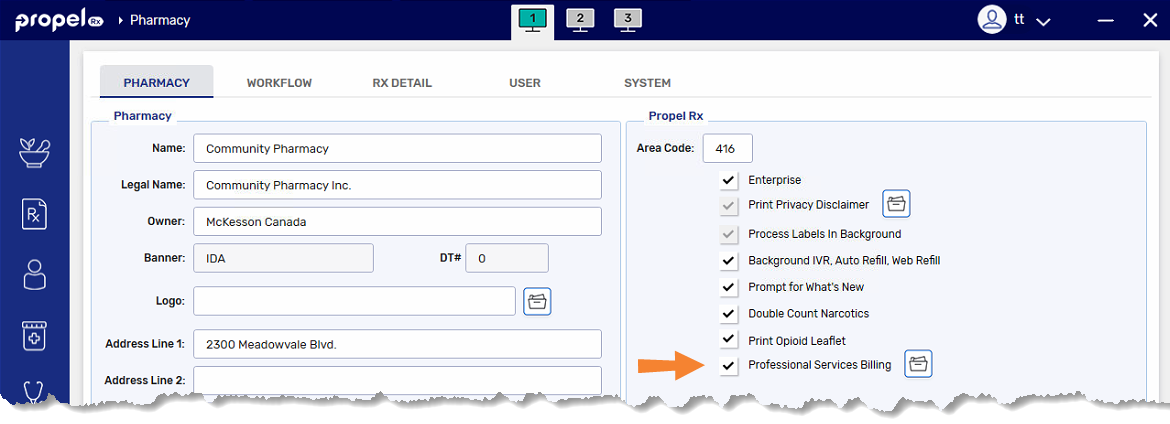
Select More (...) > Pharmacy.
-
Select the Professional Services Billing checkbox.
-
Select the folder button
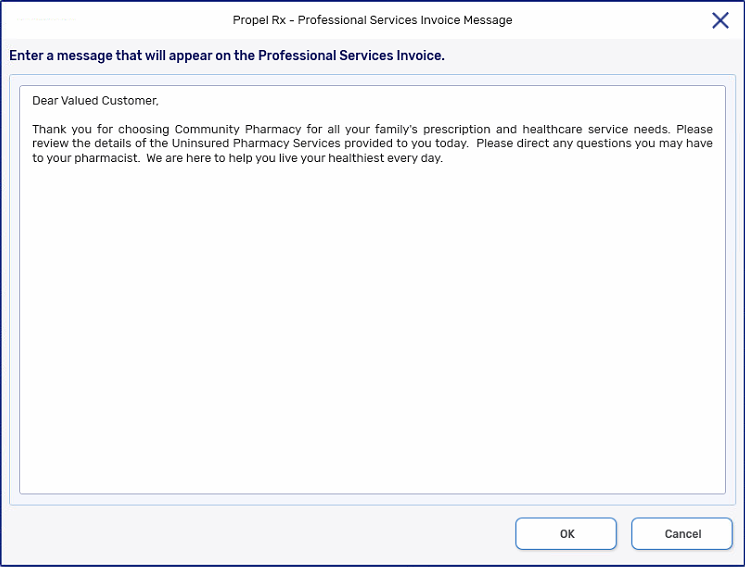
 beside the Professional Services Billing checkbox. The Professional Services Invoice Message window opens.
 -
Type a personalized message. The message that's typed here will appear on the Professional Services Invoice for patients.
-
Select OK.
-
Select Save.